Connected in two minutes. No plugin on your store.
1
Create API keys
In WooCommerce → Settings → Advanced → REST API, create a Read key for WooPeek.
2
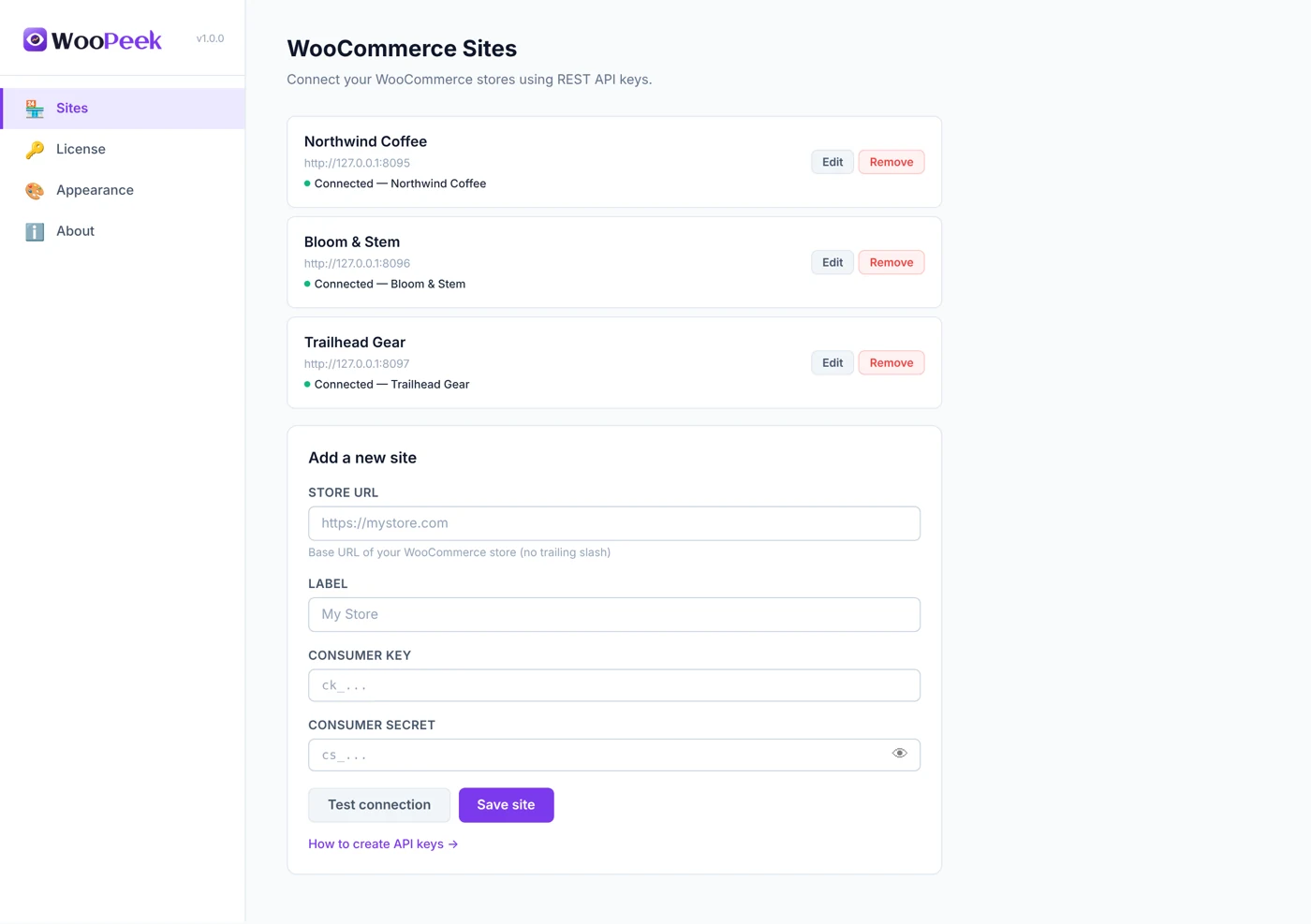
Add your store
Paste the store URL and keys into WooPeek settings, then hit “Test connection”.
3
Browse as usual
The sidebar appears on every tab with today’s numbers, refreshing on its own.
Features
Everything you check in wp-admin, one glance away
Free
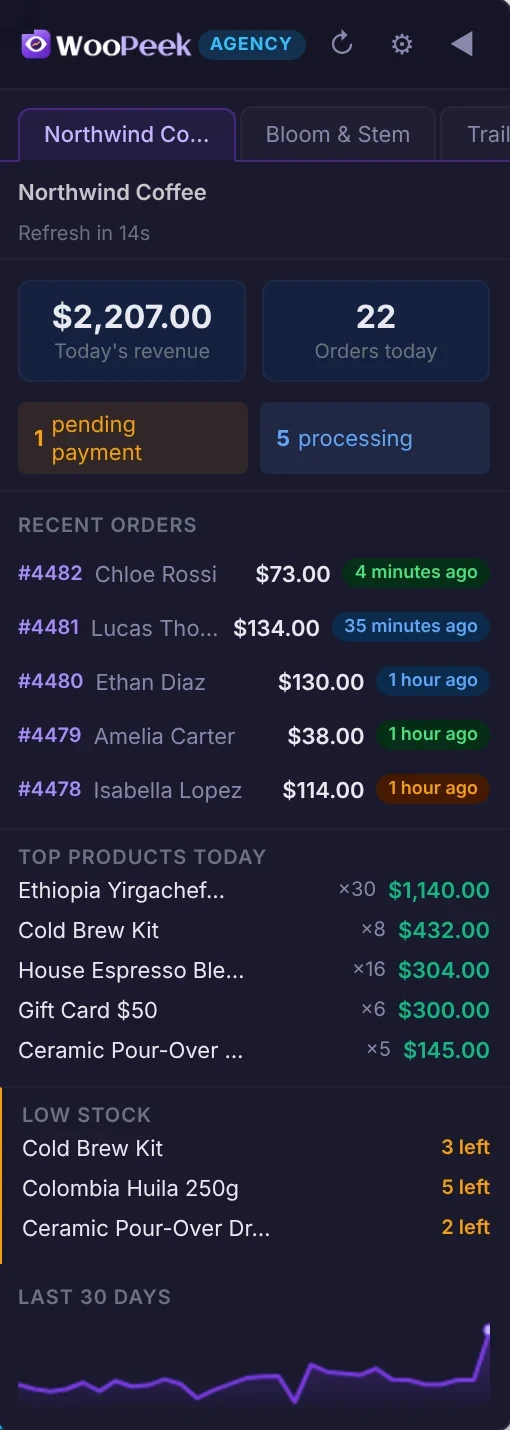
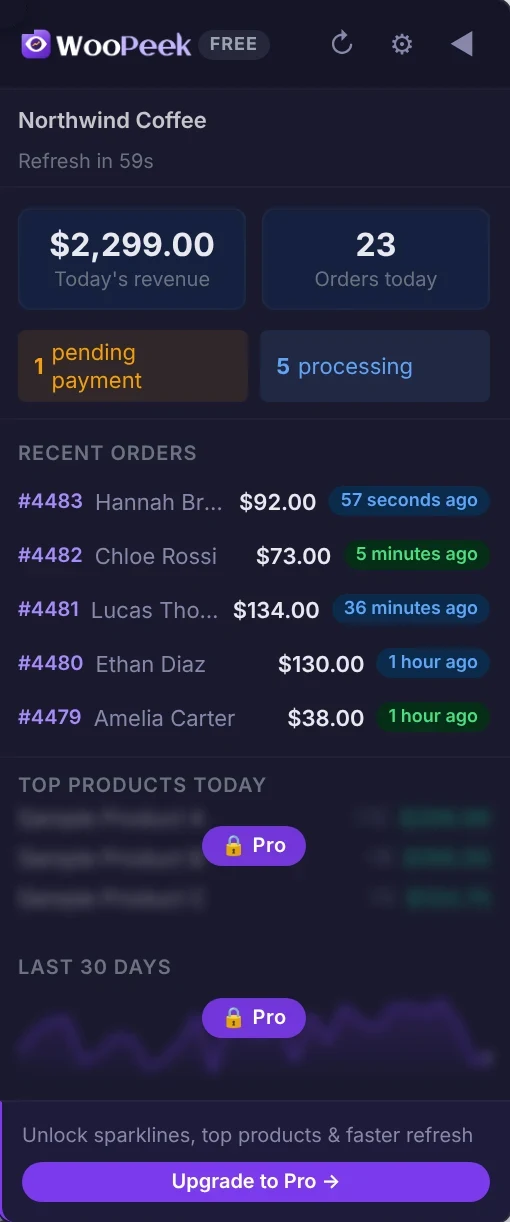
Today’s revenue & orders
Completed and processing revenue plus today’s order count, front and center.
Free
Pending & processing alerts
See how many orders are waiting for payment or need to be packed.
Free
Recent orders
Order number, customer, total and a color-coded “time ago” for each order.
Free
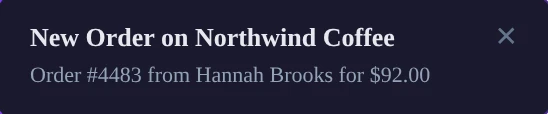
New order toasts
A toast slides in when a new order arrives, with an optional sound. Pick the corner.
Pro
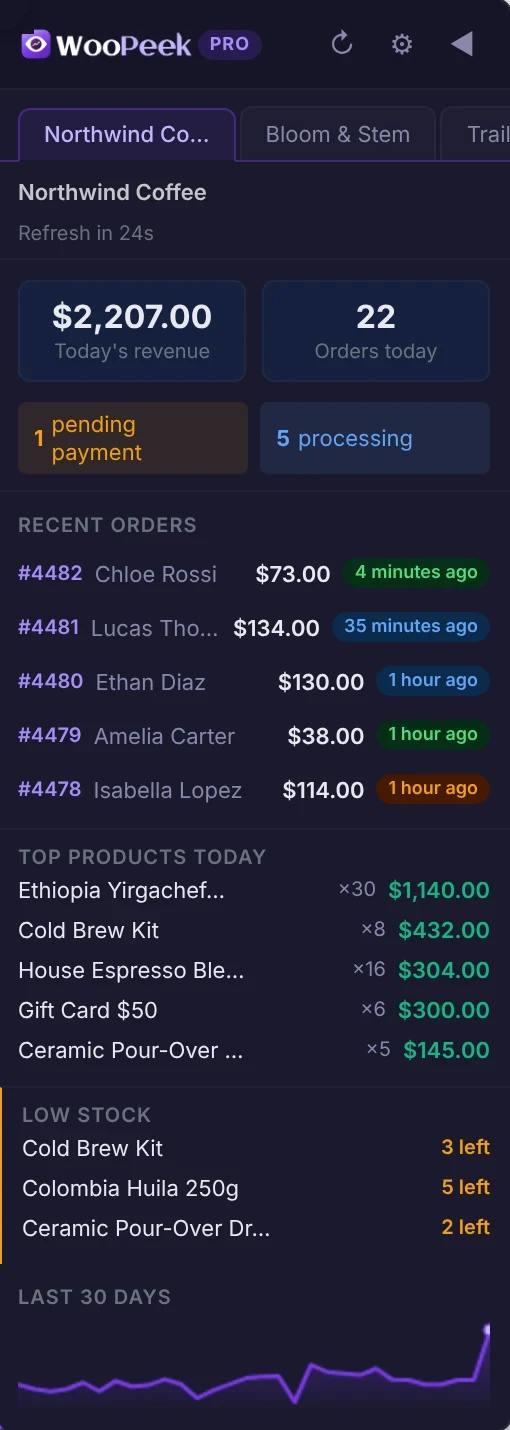
Top products today
Today’s best sellers by revenue, with quantities sold.
Pro
Low stock watch
Products that are running low, with units left.
Pro
30-day revenue sparkline
Hover the chart to read any day’s revenue.
Pro
Multi-store switcher
Flip between stores in one click — 3 on Pro, unlimited on Agency.
On every tab
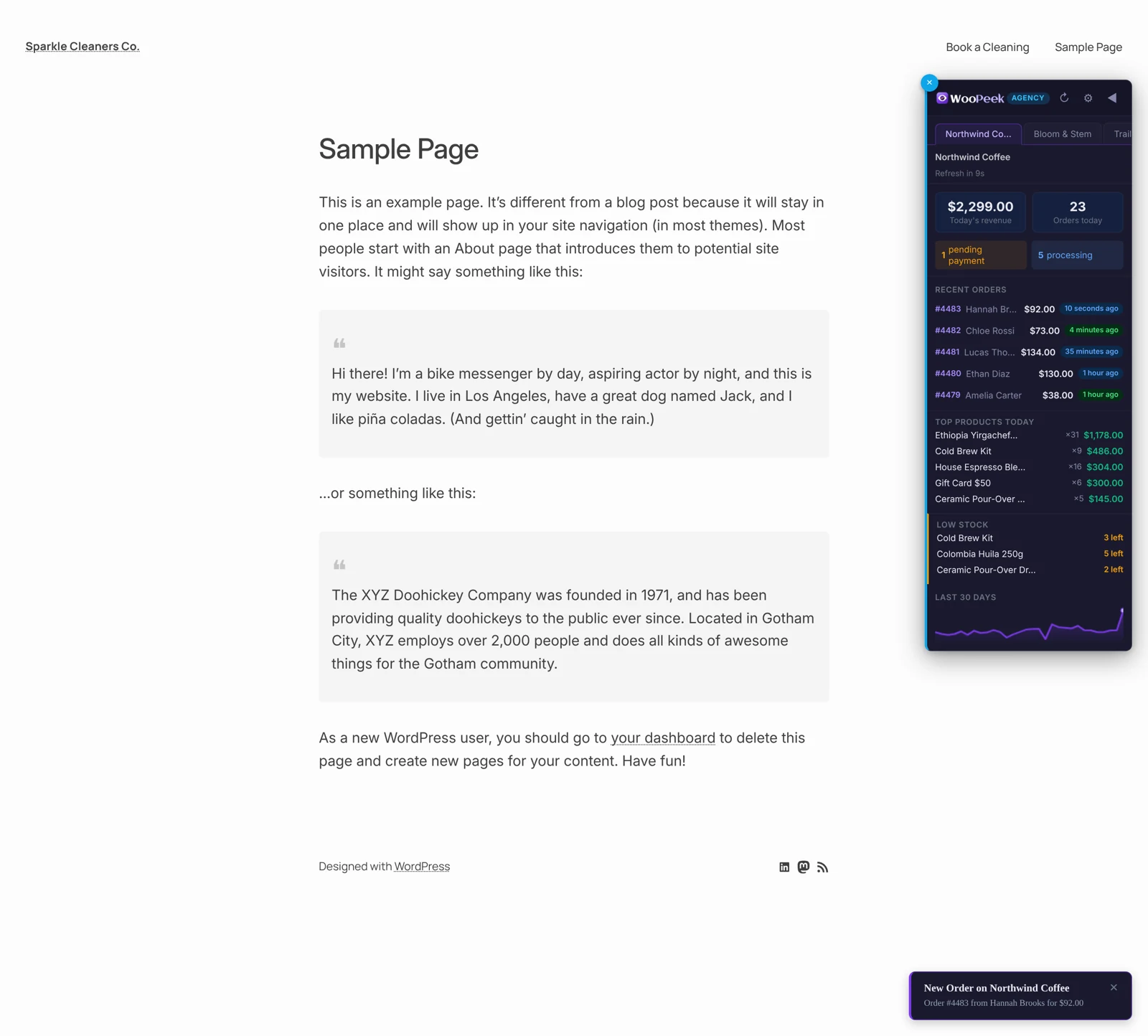
It floats over whatever you’re working on
Drag it anywhere, collapse it to a slim bar, or hide it on sites where you don’t need it. When an order comes in, a toast slides in with an optional sound.
Real screenshot · demo store data
Plans
Same sidebar. More insight as you grow.
Free
Every 60s
One store with today’s revenue, orders, pending alerts, 5 recent orders and new-order toasts.
Pro
Every 30s
Up to 3 stores, top products, low stock, the 30-day sparkline, up to 10 recent orders and desktop notifications.
Agency
Every 15s
Everything in Pro for unlimited stores, up to 30 recent orders and the fastest refresh.
Toolbar popup
Hidden the sidebar? Click the toolbar icon.
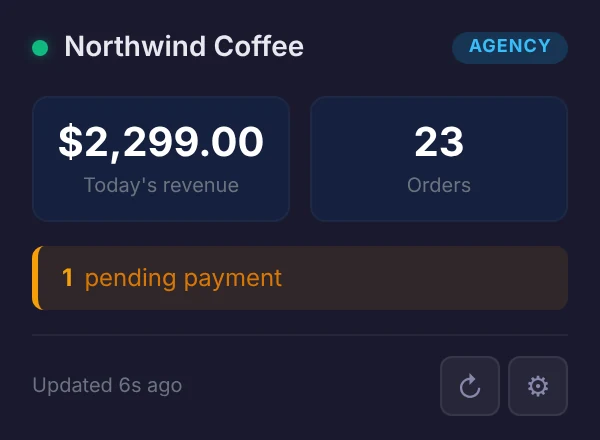
The popup shows today’s revenue, order count and pending payments for your active store, with a refresh button and a shortcut to settings.
On Pro and Agency, WooPeek also sends a desktop notification when the number of orders waiting for payment goes up.
Prices in USD. Plans are verified in WooPeek settings with the email you buy with. 14-day, 100% money-back guarantee.
Keys stay on your device
Your WooCommerce API keys are stored locally in Chrome and only ever sent to your own store.
Read-only is enough
WooPeek only reads orders and products through the official WooCommerce REST API.
No tracking
WooPeek doesn’t collect personal data. Only the email you verify a plan with is checked by our license server.
FAQ
Questions before you install
Do I need to install a plugin on my store?
No. WooPeek connects through the WooCommerce REST API that’s built into every store. You only need to create a pair of API keys.
Which browsers does it work in?
WooPeek is a Chrome extension (Manifest V3) and needs Chrome 110 or newer.
How often does the data refresh?
Every 60 seconds on Free, 30 seconds on Pro and 15 seconds on Agency. You can also refresh manually at any time.
Can I hide the sidebar on some websites?
Yes. Click the ✕ on the sidebar to hide it on that site. Manage hidden sites in settings — 5 on Free, 10 on Pro, unlimited on Agency.
Where are my API keys stored?
Locally in your browser. They are never sent to Wpfinity — only to your own WooCommerce store.
How do I activate Pro or Agency?
After purchase, you’ll get a license key by email (it starts with “WO-”). Open WooPeek settings → License, paste the key and click “Activate license”. Features unlock instantly.
Keep an eye on your store without leaving your work
Install WooPeek free, connect a store with read-only API keys, and see today’s sales on every tab.