
Wholesale Inventory Management: A Practical Guide for Small Distributors
Wholesale inventory management made practical: track cartons and pieces, batch landed cost, dead stock and customer dues without spreadsheet errors.

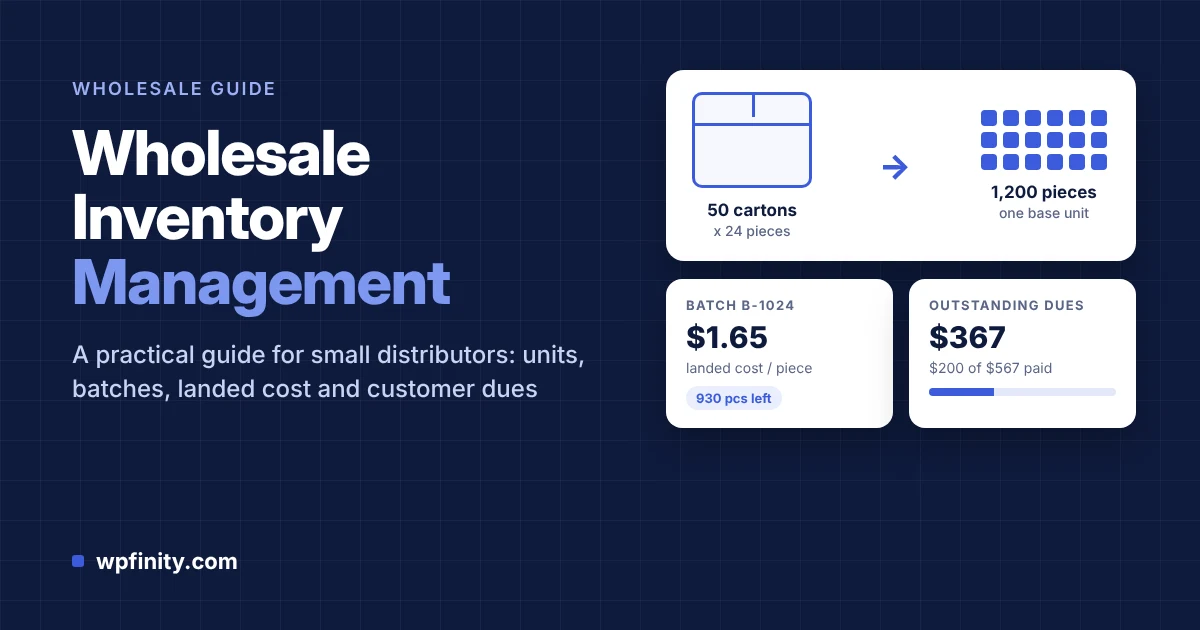
Quick answer: Wholesale inventory management is the system a distributor uses to receive bulk shipments, track each batch at its true landed cost, sell in any unit (cartons, boxes or pieces) without overselling, and collect what credit customers owe. The simplest reliable setup records every shipment as a batch, converts units automatically, and links every sale to a batch and a customer balance.
If you buy in cartons and sell in pieces, give customers credit, and still reconcile stock in a spreadsheet at month-end, this guide is for you. It covers what wholesale inventory management involves, why spreadsheets break down, a seven-step system you can run this week, and a worked example with real numbers. If you want to follow along in software, you can install the free WholeStock plugin from WordPress.org and set it up as you read.
What is wholesale inventory management?
Wholesale inventory management is the process of tracking bulk stock from the moment a shipment arrives to the moment a customer pays for the last unit of it. Unlike retail inventory, it has to handle mixed units, batch costs that change with every shipment, and sales made on credit.
Three things make wholesale different from running a shop:
- Mixed units. You buy 50 cartons of 24 pieces, but one customer orders 10 cartons and another orders 30 loose pieces. Stock has to reconcile in one base unit.
- Batch costs. The same product costs a different amount in every shipment once freight, customs and handling are added. Profit is only real if you know which batch a sale came from.
- Credit customers. Many B2B buyers pay later, in parts, by cash, bank transfer, mobile money or check. Inventory and dues are two halves of the same picture.
Why do spreadsheets break down for wholesale distributors?
Spreadsheets break down because wholesale stock changes with every shipment, sale, cancellation and partial payment, and each change is a manual edit that can go wrong. One wrong formula or a missed row quietly corrupts stock counts, costs and customer balances at the same time.
The risk is well documented. Research summarized by Louise Pryor in “Correctness is not enough” reports Raymond Panko’s finding that roughly 80% to 90% of spreadsheets contain significant errors, with field audits finding errors in 0.38% to 2.5% of cells. In a stock sheet with thousands of cells, that is not a small number of mistakes.
Credit makes it worse. The Atradius Payment Practices Barometer 2025 (Nordics) found that nearly 60% of B2B sales in Sweden were made on credit, and 33% of B2B invoices there were overdue. When dues live in notebooks and chat messages, overdue invoices are easy to lose track of.
Here is what that costs a typical small distributor:
- Overselling. You confirm an order for stock that was already sold, then lose the customer or pay for an urgent restock.
- Hidden losses. You price from an old shipment’s cost and sell a newer, more expensive batch below its landed cost.
- Dead stock. Slow batches sit for months and tie up cash that should be buying faster-moving goods.
- Uncollected dues. Part-payments are not recorded, so the outstanding balance on a customer is wrong or forgotten.
- Margin leaks. Staff who only need to take orders can see your cost and profit columns.
How do you set up wholesale inventory management? A 7-step system
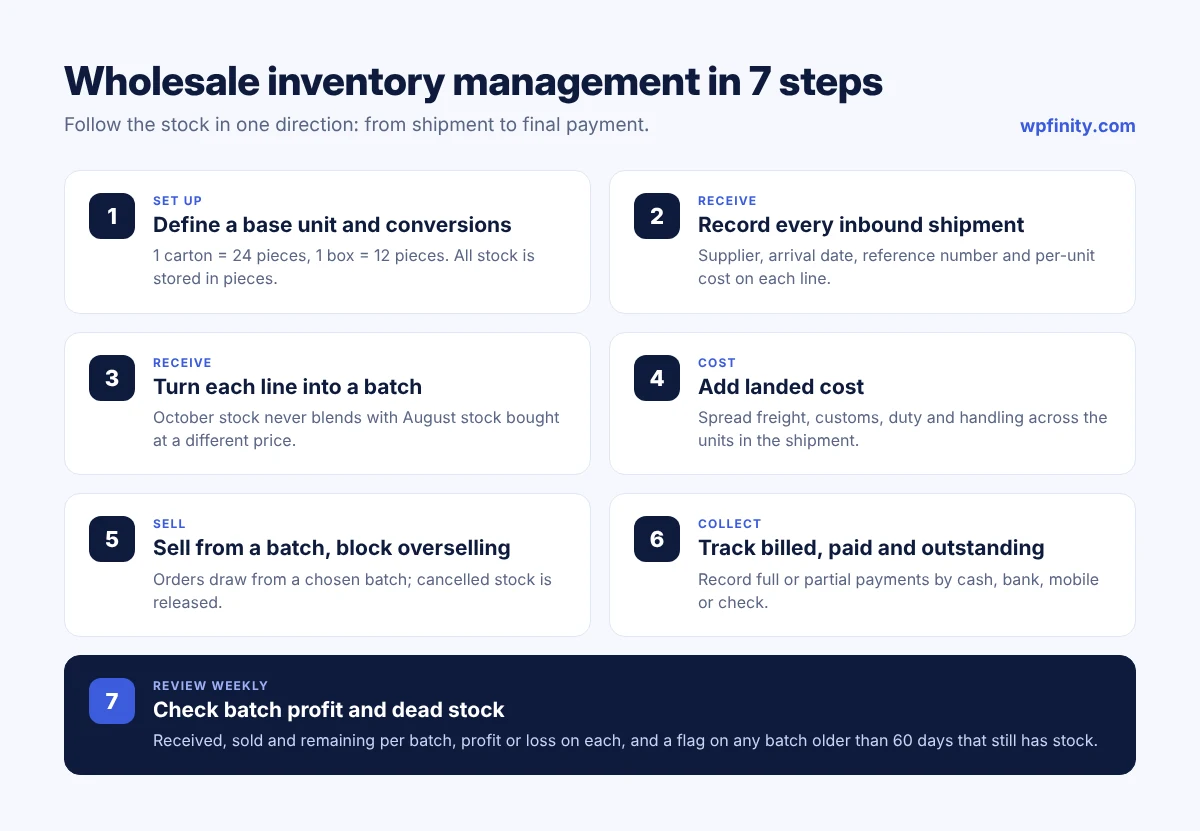
A working wholesale inventory management system follows the stock in one direction: define units, receive shipments as batches, sell from batches, record payments, then review profit and dead stock. These seven steps work whether you use paper, a spreadsheet or software, but they are much easier to keep accurate with software.
1. Define a base unit and conversions for every product
Pick the smallest unit you ever sell, usually pieces, and make it the base unit. Then define each bigger unit as a multiple of it: 1 carton = 24 pieces, 1 box = 12 pieces, 1 dozen = 12 pieces. Every stock number is stored in pieces, so a carton sale and a piece sale always add up.
2. Record every inbound shipment with supplier, reference and cost
Log the supplier, arrival date, reference or invoice number, quantities and per-unit cost for each line. Add carton or lot numbers if your suppliers use them. This is your audit trail when a supplier disputes a delivery.
3. Turn each shipment line into a traceable batch
Each shipment line should become its own batch with its own cost. That way the 1,200 pieces that arrived in October are never blended with the 800 pieces that arrived in August at a different price.
4. Include landed cost, not just the supplier price
Landed cost is the supplier price plus freight, customs, duty and handling, spread across the units in the shipment. If you skip it, every profit figure you calculate is overstated.
5. Sell from a specific batch and block overselling
When you create a sales order, choose the batch it draws from. The system should refuse to sell more than the batch holds and release stock automatically if an order is cancelled.
6. Track every customer’s billed, paid and outstanding amounts
Each order adds to the customer’s billed total; each payment, full or partial, reduces what is outstanding. Record the method (cash, bank, mobile or check) so you can match it to your bank statement.
7. Review batch profit and dead stock every week
Look at received, sold and remaining quantities per batch, and at profit or loss on each. Flag any batch older than 60 days that still has stock and decide whether to discount it, bundle it or stop reordering it.
What does wholesale inventory management look like with a real shipment?
Here is one shipment followed from arrival to final payment, so you can see how units, landed cost, batch profit and dues connect. The numbers are an example; swap in your own products and currency.
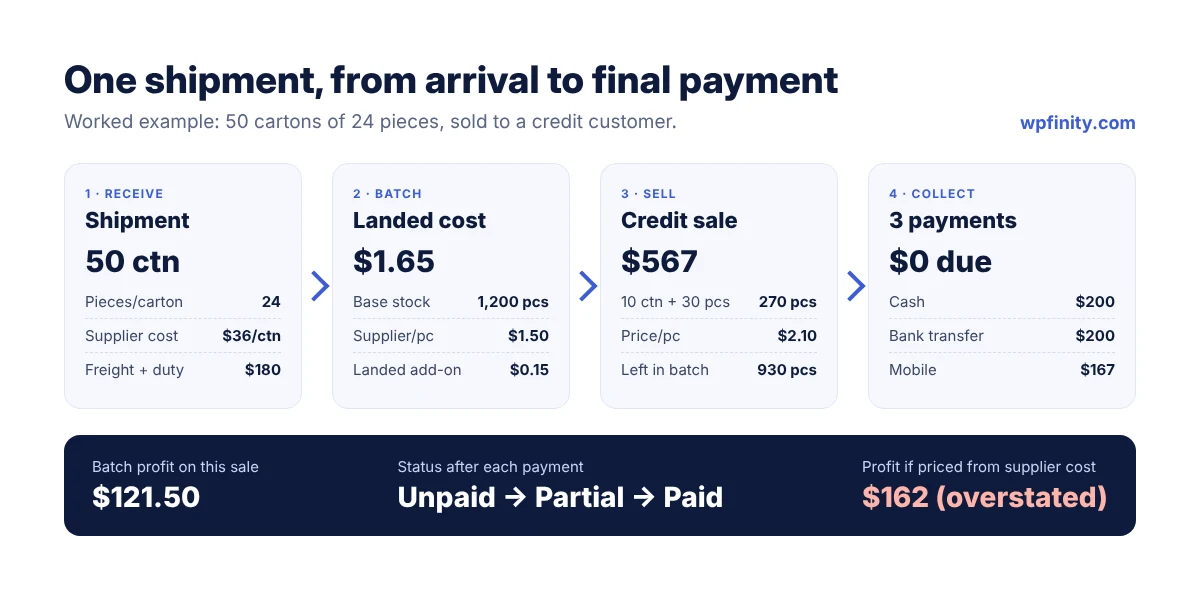
You import 50 cartons of a product, 24 pieces per carton, at $36 per carton from the supplier. Freight, customs and handling for this line add $180.
| Step | Calculation | Result |
|---|---|---|
| Stock received | 50 cartons x 24 pieces | 1,200 pieces |
| Supplier cost per piece | $36 / 24 | $1.50 |
| Landed cost per piece | $1.50 + ($180 / 1,200) | $1.65 |
| Sale to a credit customer | 10 cartons + 30 pieces at $2.10 | 270 pieces = $567.00 |
| Batch profit on this sale | 270 x ($2.10 – $1.65) | $121.50 |
| Stock left in batch | 1,200 – 270 | 930 pieces |
The customer pays the $567 invoice in three parts: $200 in cash on delivery, $200 by bank transfer a week later, and $167 by mobile payment at month-end. After each payment, the order status should move from unpaid to partial to paid, and the customer’s outstanding balance should drop to zero without anyone touching a spreadsheet.
Notice what would have gone wrong in a sheet: price the sale from the supplier cost of $1.50 and you think you made $162 instead of $121.50. Miss the second payment and you chase a customer who already paid.
Run this workflow free in WordPress
WholeStock’s free core handles unit conversions, batches, landed cost, batch-based orders, partial payments and customer dues. No WooCommerce and no monthly fee.
Spreadsheet vs wholesale inventory software: which fits your business?
A spreadsheet fits a business with a handful of products, one person updating stock and no credit sales. Once you have multiple shipments per product, mixed units, staff, or customers paying in parts, dedicated wholesale inventory software is safer and faster.
| What you need | Spreadsheet | Wholesale inventory software |
|---|---|---|
| Carton-to-piece conversion | Manual formulas per product | Automatic from unit definitions |
| Cost per shipment or batch | Separate tabs, easy to blend | Each shipment line is its own batch |
| Overselling protection | None | Blocked at order entry |
| Customer dues and part-payments | Separate sheet or notebook | Linked to orders and invoices |
| Staff permissions | Everyone sees everything | Roles can hide cost and profit |
| Change history | Hard to trace | Audit log of who changed what |
Cloud inventory tools solve these problems too, but many charge per user per month and keep your data on their servers. If that is the trigger for your search, look for a tool that runs on your own site with a one-time or flat licence.
How does WholeStock handle wholesale inventory management in WordPress?
WholeStock is a wholesale inventory and warehouse management plugin that runs inside your WordPress admin. It is built for wholesalers, importers, distributors and trading businesses, works without WooCommerce, and stores all data in your own WordPress database.
The shipment above takes a few minutes in WholeStock:
- In the setup wizard, choose your currency (WholeStock supports 40+) and number prefixes for orders and invoices.
- Add the product with pieces as the base unit and a carton unit of 24 pieces.
- Record the inbound shipment with supplier, reference, 50 cartons and the per-unit cost. WholeStock turns the line into a batch and can spread freight, customs, duty and handling across items as landed cost.
- Create a sales order for the customer, pick the batch, and enter 10 cartons and 30 pieces. WholeStock blocks the order if the batch does not have enough stock.
- Move the order from pending to confirmed to delivered, and record each of the three payments with its method. The status updates to partial, then paid.
- Send a branded invoice with your logo as a PDF or a share link. The invoice shows the payment history.
- Check batch stock to see received, sold and remaining pieces with profit or loss, and watch for the dead-stock badge on batches older than 60 days.
Common questions wholesalers ask before switching:
- Is it really free? Yes. The free core on WordPress.org covers units, shipments, batches, orders, payments, customer dues, invoices, the audit log and staff roles.
- Can staff take orders without seeing my margins? Yes. Editor-level staff manage customers, orders, payments and stock, but cannot see cost, landed cost or profit.
- Where does my data live? In custom tables in your own WordPress database. WholeStock does not send it to external services.
- What hosting do I need? WordPress 6.2+ and PHP 8.0+ on standard shared or managed hosting.
When you need more, WholeStock Pro adds revenue, margin and cash-flow analytics, printable picking lists, delivery challans, gate passes and customer ledger statements, order discounts, CSV exports, batch profit reports and priority support. Pro is priced per site, not per user: annual plans start at $49 per year, and lifetime licences start at $149 as a one-time payment, with a 14-day money-back guarantee. See the current plans on the WholeStock pricing section.
Which KPIs should a small wholesale distributor track?
Track a few numbers every week rather than many numbers once a quarter. These five tell you whether stock, margin and cash are healthy:
- Profit per batch: revenue minus landed cost for each shipment line, so you know which suppliers and products earn money.
- Dead-stock value: the cost of stock in batches older than 60 days.
- Total outstanding dues: what customers owe you today, and which customers owe the most.
- Stock remaining by batch: received minus sold, to plan reorders before you run out.
- Cancelled and reopened orders: a rising count often points to stock or pricing mistakes.
You can find more guides for running a wholesale business on the Wpfinity blog, and browse all Wpfinity WordPress plugins.
Frequently asked questions
What is wholesale inventory management?
Wholesale inventory management is the process of receiving bulk shipments, tracking each batch at its landed cost, selling in mixed units without overselling, and tracking what credit customers owe. It connects stock, cost, sales and dues in one system.
What is the best way to track stock in cartons and pieces?
Store all stock in one base unit, usually pieces, and define larger units as multiples (for example, 1 carton = 24 pieces). WholeStock converts automatically when you receive and sell, so carton and piece sales always reconcile.
What is landed cost in wholesale?
Landed cost is the supplier price plus freight, customs, duty and handling, divided across the units in a shipment. Using it instead of the supplier price gives you a true profit figure for each batch.
Can I manage wholesale inventory in WordPress without WooCommerce?
Yes. WholeStock is a standalone WordPress plugin for wholesale inventory, shipments, sales orders, payments and customer dues. It does not need WooCommerce and runs on WordPress 6.2+ with PHP 8.0+.
How do I track customer dues and partial payments?
Link every order to a customer and record each payment against it with its method. WholeStock shows each customer’s billed, paid and outstanding totals and marks orders as unpaid, partial or paid.
When should a distributor move from spreadsheets to inventory software?
Move when you have multiple shipments of the same product at different costs, sell in mixed units, give customers credit, or have staff editing stock. Those are the points where spreadsheet errors start costing money.
Does WholeStock charge per user or per month?
No. The WholeStock core is free. WholeStock Pro is licensed per site on annual or lifetime plans, with no per-seat fees, order caps or monthly fees, and a 14-day money-back guarantee.
Start managing wholesale inventory the right way
Install WholeStock free from WordPress.org, add your first shipment, and see batch stock, profit and customer dues in one place. Your data stays in your own WordPress database.

 Wholesale & Inventory
November 3, 2026
Self-Hosted Inventory Software vs SaaS for Wholesalers
Self-hosted inventory software vs SaaS for wholesalers: real 3-year costs, data ownership, when SaaS still wins, and how WholeStock works.
Read more
 Wholesale & Inventory
November 1, 2026
Delivery Challan: Format, Uses and How to Make One
What a delivery challan is, what to include, how it differs from an invoice and gate pass, and how wholesalers…
Read more
 Wholesale & Inventory
October 26, 2026
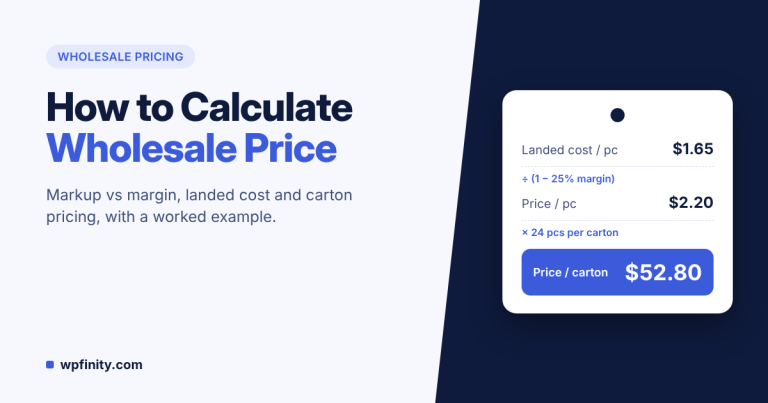
How to Calculate Wholesale Price: Markup vs Margin
Calculate wholesale price the right way: landed cost, margin vs markup, carton pricing, discounts and credit terms, with a worked…
Read more
Get new articles & release notes in your inbox
Sign up for updates on our upcoming releases. No spam — unsubscribe anytime.


3 Responses