
Online Booking for Cleaning Businesses: A Setup Guide
Set up online booking for your cleaning business on WordPress: pricing rules, intake questions, deposits and reminders that end phone tag.

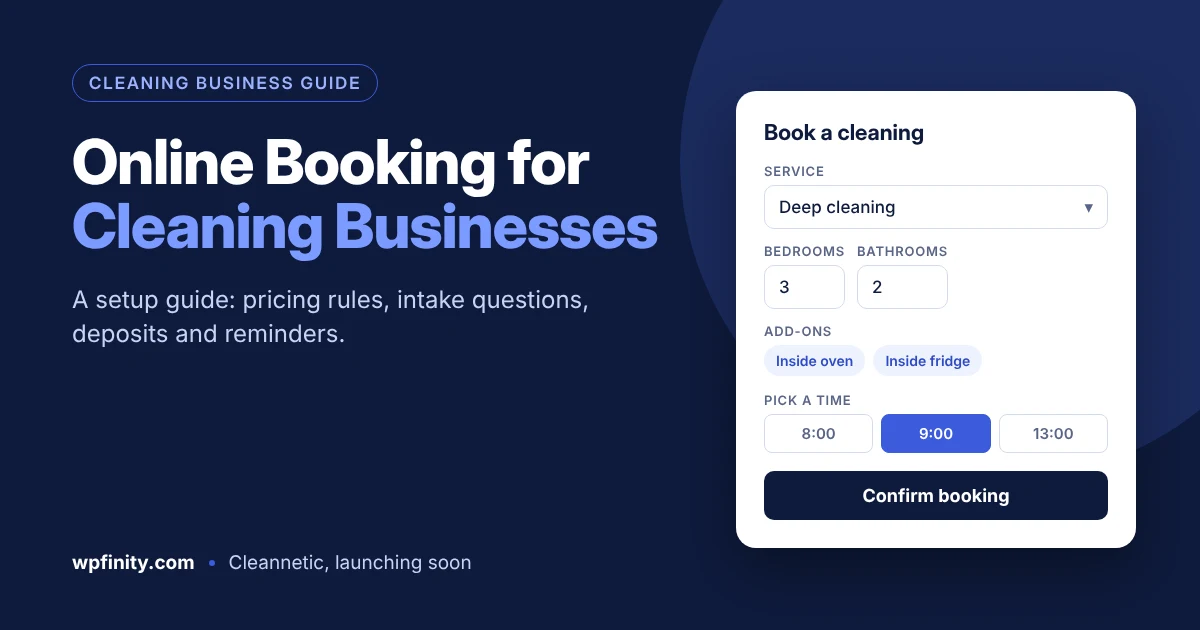
TL;DR: Online booking for cleaning businesses means customers pick a service, see a price, choose a time slot and confirm the job on your website without calling you. To set it up well, define your service types and pricing rules first, ask the right intake questions, limit bookings to your service area and crew capacity, take a deposit, and send automatic reminders. On WordPress, a cleaning-focused booking plugin handles all of this from one form.
If you run a cleaning company, you already know the pattern. A lead fills in your contact form at 9:40 p.m. You reply the next morning with questions about bedrooms, pets and parking. They answer at lunch. You send a quote. By the time you offer a slot, they have booked the company that let them do it in two minutes.
That back-and-forth is the problem online booking solves. This guide walks through how to set up online booking for a residential, commercial or specialty cleaning business, what to put on the booking form, and the mistakes that cost jobs. It is written for owners and office managers, not developers.
What is online booking for a cleaning business?
Online booking for a cleaning business is a form on your website where a customer chooses a service, answers a few questions about the job, sees a price or estimate, picks an available time and confirms. The booking lands in your schedule automatically, so nobody has to call, email or wait for a reply.
A good setup does more than show a calendar. It knows that a two-bedroom standard clean takes less time than a four-bedroom move-out clean, that a pressure washing job needs a driveway size, and that you only cover certain ZIP codes. That cleaning-specific logic is what separates a real booking system from a generic appointment widget.
Why do cleaning companies lose leads without online booking?
Cleaning companies lose leads without online booking because customers want to book when they are thinking about it, which is often after hours, and the first business to confirm usually wins the job.
The numbers back this up:
- 67% of consumers prefer booking online over calling, emailing or walking in, according to GetApp’s 2024 scheduling survey (as compiled by SimplyBook.me).
- 40% of online bookings happen outside business hours, based on SimplyBook.me’s 2025 platform data. That is when your phone goes to voicemail.
- 62% of cleaning bookings are already made through mobile apps and online platforms, per Grand View Research figures summarized by Upmetrics.
- Competition is crowded: IBISWorld counts about 1.25 million US janitorial businesses in 2026, averaging 1.9 employees each (via Upmetrics). Most are small teams where the owner also answers the phone.
Speed matters too. In “The Short Life of Online Sales Leads” (Harvard Business Review, 2011), Oldroyd, McElheran and Elkington found that most companies do not respond to online inquiries nearly fast enough. Online booking removes the response gap entirely, because the customer gets a confirmed slot instead of a promise to call back.
How do you set up online booking for cleaning businesses?
To set up online booking for a cleaning business, list your services and pricing rules, decide what to ask on the form, set your service area and capacity, choose deposit and cancellation rules, then turn on confirmations and reminders. Do these in order: each step depends on the one before.
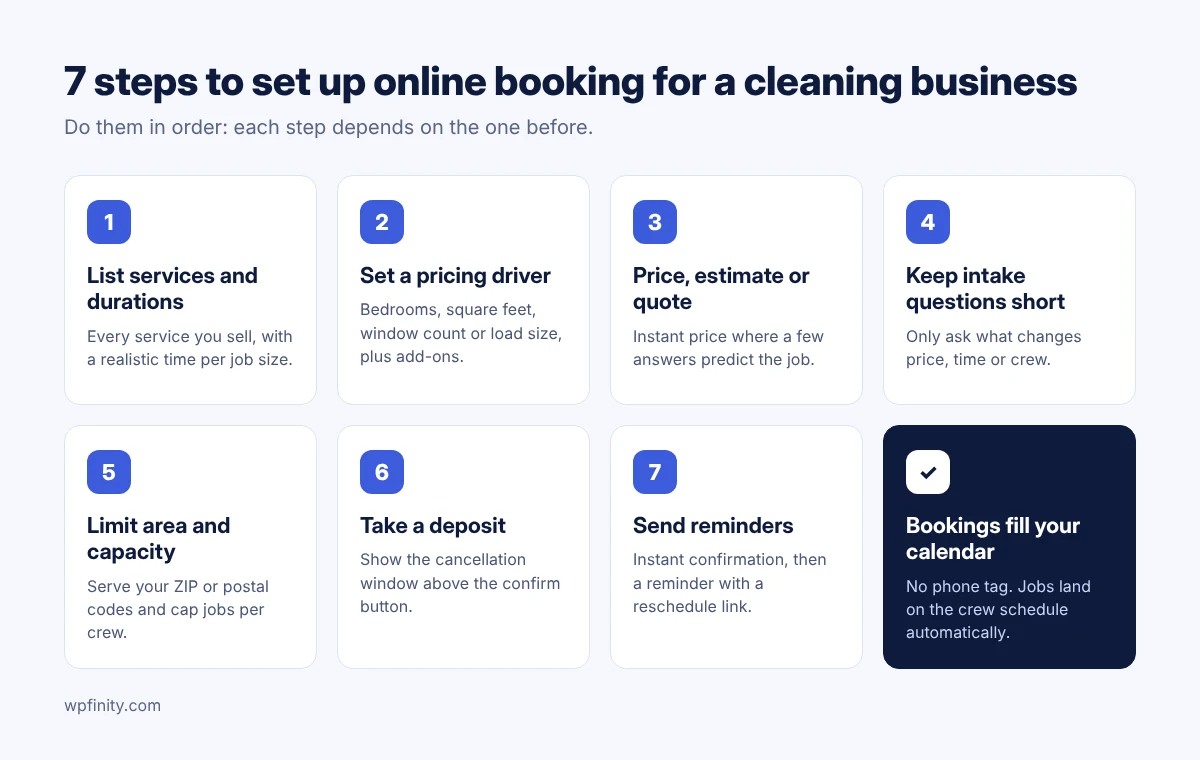
Step 1: List your service types and how long each takes
Write down every service you sell and a realistic duration for each size of job. Most cleaning companies end up with a list like this:
- Standard residential cleaning (one-off and recurring)
- Deep cleaning
- Move-in / move-out cleaning
- Office and commercial cleaning
- Window cleaning
- Carpet cleaning
- Pressure washing
- Junk removal
- Custom services (post-construction, Airbnb turnovers, and so on)
Duration is the number most owners skip, and it is the one that breaks schedules. If a three-bedroom deep clean takes a two-person crew five hours, the booking system needs to block five hours, not a default one-hour slot.
Step 2: Decide how each service is priced
Pick one pricing driver per service and a short list of add-ons. Residential cleans usually price by bedrooms and bathrooms or by square footage. Windows price by count, carpets by room, pressure washing by surface area, junk removal by load size. Add-ons like inside the fridge, inside the oven, pet hair or interior windows go on top.
Keep it simple at first. You can refine prices after a month of real bookings; you cannot win back customers who gave up on a confusing form.
Step 3: Choose instant price, estimate or quote request
Not every job should be booked at a fixed price. Use the table below to choose per service.
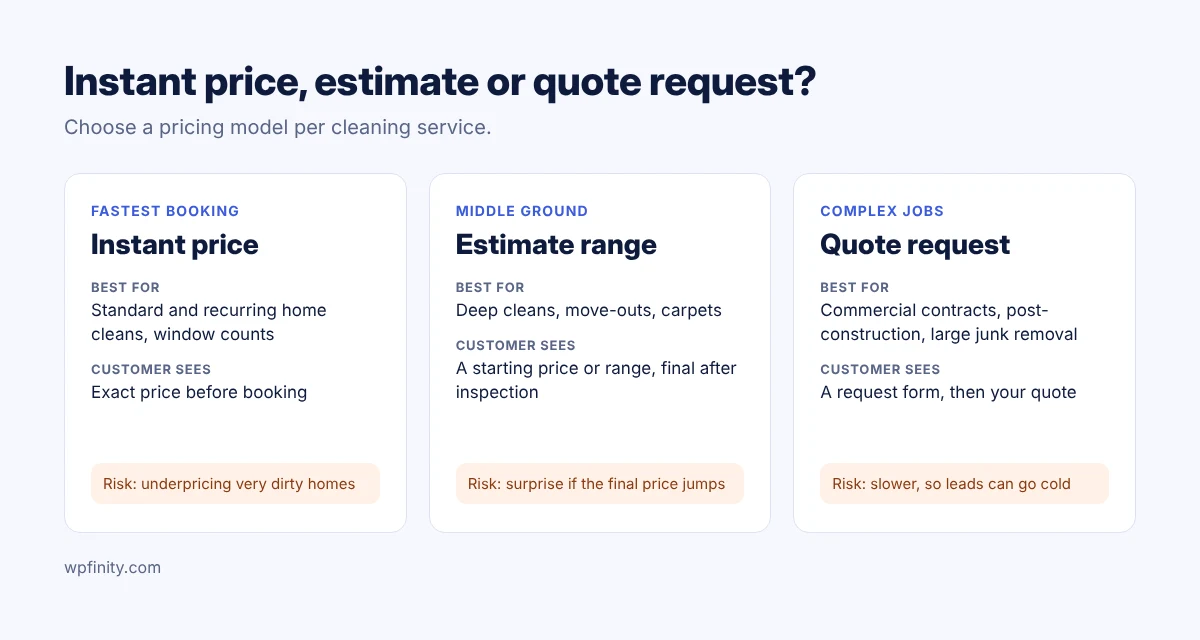
| Pricing model | Best for | Customer sees | Risk |
|---|---|---|---|
| Fixed / instant price | Standard and recurring home cleans, window counts | Exact price before booking | Underpricing very dirty homes |
| Estimate with a range | Deep cleans, move-outs, carpets | “From $X” or a range, final after inspection | Customer surprise if the final price jumps |
| Quote request | Commercial contracts, post-construction, large junk removal | A request form, then your quote | Slower, so leads can go cold |
A practical rule: if you can price most of a service’s jobs from four or five answers, offer an instant price. If not, offer an estimate or quote request, but still let the customer pick a preferred date so the lead feels booked.
Get the free Cleaning Booking Form Checklist
Every intake question, pricing driver and add-on by service type, ready to copy into your booking form. You will also get an early-access invite to Cleannetic, the WordPress booking plugin for cleaning companies, launching soon.
No spam. One email when Cleannetic launches, plus the checklist now.
Step 4: Ask only the intake questions that change price or time
Every question on your booking form should change the price, the duration or the crew. If it does neither, ask it after booking in the confirmation email. Short forms get finished; long forms get abandoned.
Step 5: Set your service area and crew capacity
Limit bookings to the ZIP or postal codes you actually serve, and set how many jobs each crew can take per day. Without this, a customer 40 minutes away books your last slot, or two deep cleans land at the same time with one crew. If you charge travel fees for outer areas, show them on the form rather than adding them later.
Step 6: Take a deposit and publish your cancellation policy
A deposit at booking is the simplest no-show filter for cleaning jobs. Many owners charge a fixed amount or a percentage for first-time customers and larger jobs, and skip it for trusted recurring clients. Put the cancellation window (for example, 24 or 48 hours) right above the confirm button so nobody can say they missed it.
Step 7: Turn on confirmations and reminders
Send an instant confirmation, then a reminder a day or two before the job with the time window, what to prepare (pets secured, access code, parking) and a reschedule link. Reminders cut last-minute surprises for your crew, and the reschedule link turns a would-be no-show into a moved booking.
What questions should a cleaning booking form ask?
A cleaning booking form should ask the service type, the size driver for that service, the condition of the space, add-ons, access details and the preferred date. The size driver changes by service, as this table shows.
| Service type | Main pricing driver | Other questions that matter |
|---|---|---|
| Standard / recurring home cleaning | Bedrooms + bathrooms or square feet | Frequency (weekly, biweekly, monthly), pets |
| Deep cleaning | Bedrooms + bathrooms or square feet | Last professional clean, add-ons (oven, fridge, baseboards) |
| Move-in / move-out | Square feet, empty or furnished | Move date, appliances included |
| Office / commercial | Square feet, number of rooms or desks | Visit frequency, after-hours access, restrooms |
| Window cleaning | Number of windows or panes | Inside/outside, stories, screens |
| Carpet cleaning | Number of rooms or square feet | Stains, pet odor, furniture moving |
| Pressure washing | Surface and size (driveway, deck, siding) | Water access, surface material |
| Junk removal | Load size or item list | Stairs, heavy items, photos |
Two questions belong on every form: the service address (to check your area) and how the crew gets in (someone home, lockbox, door code).
What are the most common online booking mistakes cleaning companies make?
The most common online booking mistakes are hiding the price, using one-hour slots for every job, and asking too many questions before the customer can book.
- No price at all. “Contact us for a quote” on a standard home clean sends people to competitors who show one.
- Same slot length for every job. This double-books crews and makes days run late.
- A 20-field form. Ask what changes the price; collect the rest after booking.
- No service area check. You end up cancelling bookings you cannot reach.
- Booking buried on a contact page. Put a “Book a Cleaning” button in the header and on every service page.
- No mobile testing. Most customers will book on a phone. Try the full form on yours before going live.
What should you look for in a WordPress booking plugin for cleaning?
Look for a WordPress booking plugin built around cleaning jobs: multiple service types, pricing by size and add-ons, durations that vary by job, service-area limits, deposits and reminders. A generic appointment plugin built for haircuts or consultations rarely handles these well.
WordPress is a sensible home for this: it runs about 42.6% of all websites, according to W3Techs data reported by Barn2. If your site is already on WordPress, a plugin keeps bookings on your own domain instead of sending customers to a third-party page.
Use this checklist when comparing options:
- Supports all the service types you sell, including custom ones
- Prices by bedrooms, square footage, item count or custom units, plus add-ons
- Sets a different duration per service and job size
- Restricts bookings by service area
- Handles recurring cleans (weekly, biweekly, monthly)
- Takes deposits or full payment online
- Sends confirmations and reminders automatically
- Lets you assign jobs to staff or crews
- Has a free version to test before you pay
This is the gap Wpfinity built Cleannetic to fill. Cleannetic is an upcoming WordPress booking plugin made specifically for cleaning companies. It supports residential cleaning, deep cleaning, move-in/out, office, window, pressure washing, carpet and junk removal services, plus flexible custom service types. Cleannetic will be available as a free version on WordPress.org and a pro version [placeholder: list which checklist items are in free vs pro]. It is launching soon.
For agencies and freelancers: if you build sites for cleaning companies, the same checklist applies to client projects. A plugin that covers many service types means one tool for your residential, carpet and pressure washing clients alike [placeholder: agency licensing details, if any].
What does a good cleaning booking flow look like?
Here is a booking flow that works for a typical residential cleaning company. Treat it as a template and adjust it to your services.
- Customer clicks “Book a Cleaning” in the site header.
- Chooses “Deep cleaning” and enters 3 bedrooms, 2 bathrooms.
- Adds “inside oven” and “inside fridge.”
- Enters a ZIP code; the form confirms it is in your area.
- Sees the price and picks an open morning slot that already accounts for a 5-hour job.
- Pays a deposit and agrees to the 48-hour cancellation policy.
- Gets an instant confirmation, then a reminder two days before with prep notes.
No phone calls, no email chain, and the job is on your crew’s schedule before you wake up.
Ready to take cleaning bookings online?
Online booking for cleaning businesses works when the form matches how you actually price and schedule jobs. Start with your service list and durations, keep the form short, protect your calendar with service-area limits and deposits, and let reminders do the follow-up.
Join the Cleannetic early-access list
Cleannetic is the WordPress booking plugin built for cleaning companies, launching soon with a free version on WordPress.org and a pro version. Join the list to get launch-day access, an early-bird offer [placeholder: confirm launch discount] and the free Cleaning Booking Form Checklist.
One launch email and occasional booking tips. Unsubscribe anytime.
Frequently asked questions
Do cleaning businesses need online booking?
Most cleaning businesses benefit from online booking because customers increasingly prefer it. GetApp’s 2024 scheduling survey found 67% of consumers prefer booking online over calling or emailing, and many bookings happen outside business hours when nobody is answering the phone.
Should I show prices on my cleaning booking form?
Show an instant price for standard and recurring home cleans, where a few answers like bedrooms and bathrooms predict the job well. Use a price range or a quote request for deep cleans, post-construction, commercial contracts and large junk removal jobs.
How do I price cleaning jobs on an online booking form?
Pick one pricing driver per service, such as bedrooms and bathrooms, square footage, window count or load size, then add optional extras like inside the oven or pet hair removal. Review prices after a month of real bookings.
Should I take a deposit for cleaning bookings?
A deposit at booking is one of the simplest ways to reduce no-shows and last-minute cancellations. Many cleaning companies require one for first-time customers and large jobs, and show the cancellation window right above the confirm button.
Can I add online booking to my WordPress cleaning website?
Yes. A WordPress booking plugin adds a booking form to your existing site, so customers book on your own domain. Choose one built for cleaning jobs, with multiple service types, size-based pricing, variable durations and service-area limits.
What is Cleannetic?
Cleannetic is an upcoming WordPress booking plugin for cleaning companies, made by Wpfinity. It supports residential, deep cleaning, move-in/out, office, window, pressure washing, carpet, junk removal and custom service types, and will ship as a free version on WordPress.org plus a pro version. It is launching soon.
Is a cleaning booking plugin useful for web agencies?
Yes. Agencies and freelancers building sites for cleaning companies can use one cleaning-focused booking plugin across clients with different services, instead of adapting a generic appointment tool for each project.

 Cleaning Business
November 12, 2026
How to Bid Commercial Cleaning Jobs: A Step-by-Step Guide
Learn how to bid commercial cleaning jobs step by step: walkthrough, production rates, labor, overhead and profit, plus a worked…
Read more
 Cleaning Business
November 10, 2026
How to Price Carpet Cleaning: Per Room vs Per Square Foot
Learn how to price carpet cleaning per room or per square foot, with 2026 US price benchmarks, job minimums and…
Read more
 Cleaning Business
October 29, 2026
Cleaning Service Deposits: How Much to Charge and When
Should your cleaning business take a deposit? See how much to charge by service type, deposit vs card on file,…
Read more
Get new articles & release notes in your inbox
Sign up for updates on our upcoming releases. No spam — unsubscribe anytime.

One Response