How to Build a Cleaning Company Website: Agency Guide
Building a cleaning company website for a client? The pages, booking flow, plugin choice and launch checklist that turn visitors into booked jobs.

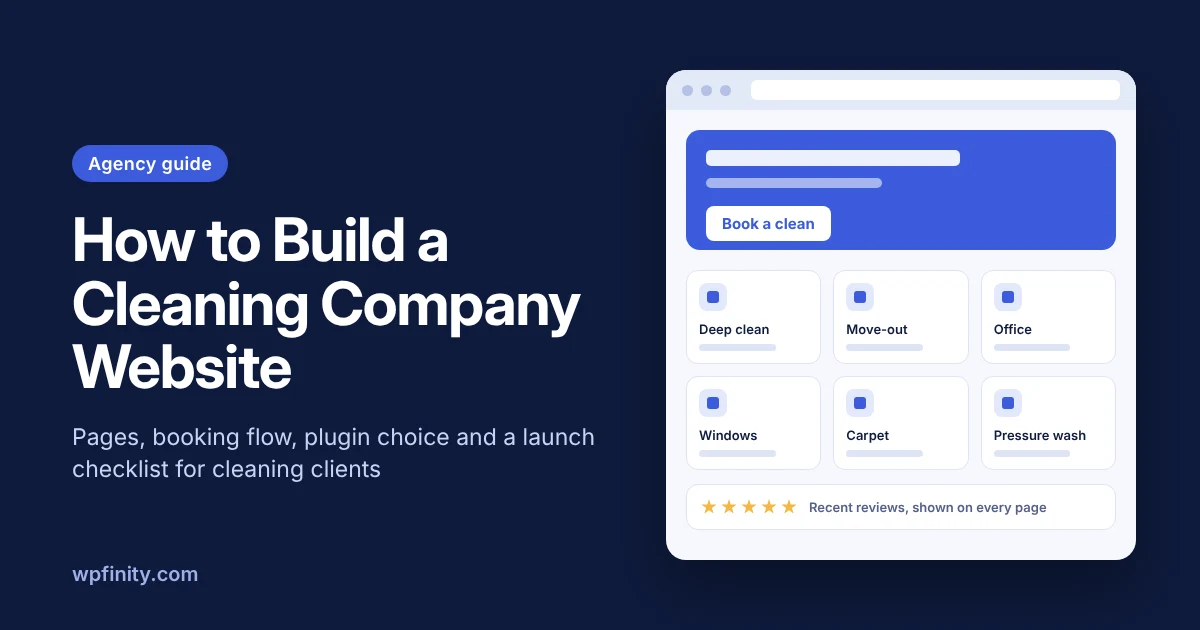
Short answer: A cleaning company website has one job: turn local searchers into booked, paid jobs. To build one that does that, agencies need clear service and service-area pages, an online booking flow that handles cleaning-style pricing, visible reviews and a fast mobile layout. This guide covers the pages, the booking setup, plugin choice and a launch checklist you can reuse on every cleaning client.
Most cleaning company websites agencies inherit look fine but still run on “call us for a quote.” The owner answers the phone between jobs and loses leads to competitors who let people book in minutes. If you build websites for cleaning businesses, the booking flow is where you add the most value.
What does a cleaning company website need to do?
A cleaning company website needs to answer three questions fast: do you clean what I need, do you come to my area, and how do I book? Everything else supports those three.
For a cleaning client, that translates into four measurable jobs:
- Get found in local search for each service and town the business covers.
- Build trust with reviews, insurance details and real photos of the team’s work.
- Explain pricing clearly enough that visitors don’t need to call to get a ballpark.
- Take the booking, ideally with a deposit, without the owner touching it.
If a page doesn’t help with one of those, it can usually go.
Which pages should a cleaning company website have?
A strong cleaning company website has a home page, one page per service type, service-area pages, a pricing explainer, a booking page, reviews, and policies. Separate service pages matter because “deep cleaning” and “office cleaning” are different searches with different buyers.
Here’s the page map we recommend for a typical small-to-mid cleaning business:
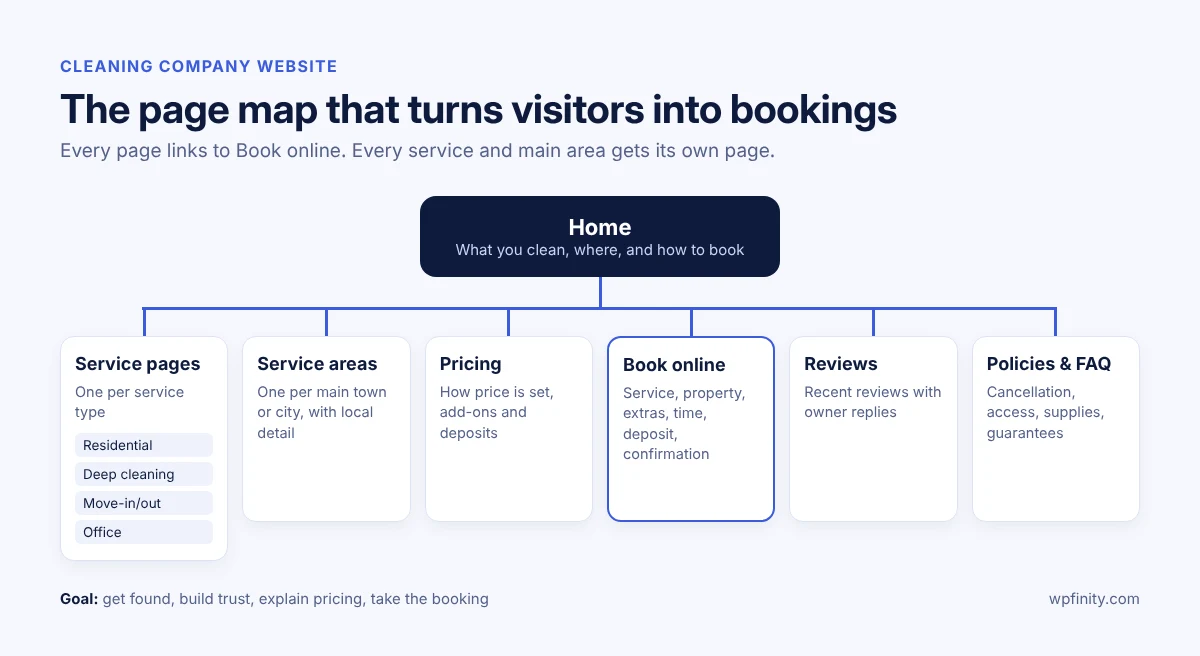
| Page | Purpose | Must include |
|---|---|---|
| Home | Answer “what, where, how to book” | Services, area, reviews, Book Now button |
| Service pages | Rank for each service | What’s included, who it’s for, starting price or pricing factors |
| Service-area pages | Rank for each town or city | Local details, areas covered, booking link |
| Pricing | Pre-qualify leads | How price is calculated, add-ons, deposits |
| Book online | Convert | Short form, clear time slots, confirmation |
| Reviews | Build trust | Recent reviews, owner replies |
| Policies and FAQ | Cut back-and-forth | Cancellation, access, supplies, guarantees |
Cover every service the client actually sells: residential, deep cleaning, move-in/move-out, office, window, carpet, pressure washing or junk removal. Each prices differently, so each needs its own page. For pricing page content, our guide on how to price cleaning services explains hourly vs flat-rate models in plain terms your client can adapt.
How should online booking work on a cleaning website?
Online booking on a cleaning website should let a customer pick a service, describe the property, choose extras and a time, and get a price before they submit. That instant price is what separates cleaning booking from a generic appointment calendar.
A booking flow that works for most cleaning businesses:
- Choose the service type (for example standard clean, deep clean, move-out).
- Describe the property: bedrooms, bathrooms, square footage or rooms, depending on the service.
- Add extras such as inside the oven, inside the fridge or interior windows.
- Pick a frequency (one-time, weekly, every two weeks, monthly) if the client offers recurring work.
- Select a date and time slot that reflects real crew availability.
- Enter address, access notes and contact details.
- Pay a deposit or save a payment method, and accept the cancellation policy.
- Get an instant confirmation by email, with the same details the owner sees.
Steps 7 and 8 are where no-shows and late cancellations get solved. Pair the booking form with a written policy; our cleaning business cancellation policy guide includes wording your client can use. For a step-by-step view of setup decisions, see Online Booking for Cleaning Businesses: A Setup Guide.
This is the gap Cleannetic is being built to fill. Cleannetic is an upcoming WordPress booking plugin from Wpfinity made specifically for cleaning companies, covering residential, deep cleaning, move-in/out, office, window, pressure washing, carpet and junk removal work, plus custom service types. It will ship as a free version on WordPress.org with a pro version for businesses that need more.
Get early access to Cleannetic
Building a site for a cleaning business, or running one? Join the Cleannetic waitlist for an early-access invite and launch updates.
How do you choose a WordPress booking plugin for a cleaning client?
Choose a booking plugin that handles cleaning-specific pricing (rooms, size, extras, frequency), multiple service types and deposits, and that your client can manage without calling you. A generic appointment plugin books time slots well but rarely prices a three-bedroom deep clean correctly.
WordPress makes sense here because most agencies already build on it: W3Techs reports WordPress powers 39.6% of all websites as of October 2026. The question is what you put on top of it.
| What you need | Generic appointment plugin | Hosted booking software (embed) | Cleaning-specific WordPress plugin |
|---|---|---|---|
| Price by rooms, size and extras | Limited or custom code | Usually yes | Built for it |
| Multiple service types | Yes, as separate “appointments” | Yes | Yes, with their own pricing |
| Bookings and data on the client’s site | Yes | No, held by the vendor | Yes |
| Monthly per-user fees | Rare | Common | Often a free core with paid add-ons |
| Matches the site design | Mostly | Often looks embedded | Yes |
If your client is torn between a subscription platform and a plugin, our comparison of cleaning booking software vs a WordPress plugin walks through the trade-offs in more depth.
What helps a cleaning company website rank in local search?
Cleaning companies rank locally through accurate service-area pages, a complete Google Business Profile, a steady stream of recent reviews and a fast mobile site. The website and the Business Profile should tell the same story about services and areas.
- Set up the Business Profile as a service-area business. Google’s Business Profile help says businesses that don’t serve customers at their address should remove it, and can list up to 20 service areas.
- Build one page per main service area, with genuinely local content, not the same text with the town name swapped.
- Make reviews part of the booking flow. In BrightLocal’s Local Consumer Review Survey 2026, 74% of consumers said they look only at reviews from the past three months, and 80% are more likely to use a business that replies to all reviews.
- Keep it fast on phones: compress images, limit heavy page builders and test the booking page on a real phone.
- Add schema with your SEO plugin so services, reviews and FAQs are clear to search engines and AI answer tools.
For marketing beyond the website, share our list of 9 ways to get more cleaning clients with your client.
What’s the launch checklist for a cleaning company website?
Before launch, test every booking path on mobile, confirm prices match the client’s real quotes, and train the owner to manage bookings alone. Untested pricing rules are one of the most common causes of post-launch problems.
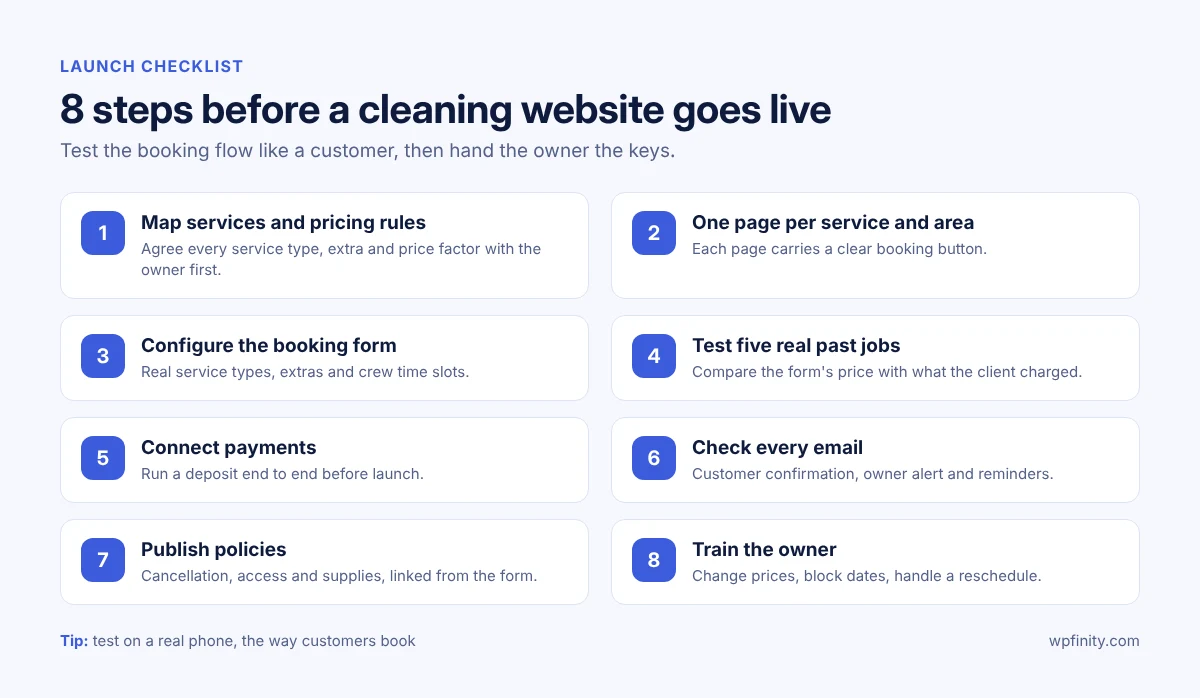
- Map services and pricing rules with the owner before design starts.
- Write one page per service and main area, each with a booking button.
- Configure the booking form with real service types, extras and time slots.
- Test five real past jobs through the form and compare prices to what the client charged.
- Connect payments and test a deposit end to end.
- Check emails: customer confirmation, owner notification and reminders.
- Publish policies (cancellation, access, supplies) and link them from the form.
- Train the owner to change prices, block dates and handle a reschedule.
Step 8 is also your recurring revenue. A short monthly care plan that covers updates, booking checks and seasonal price changes is easy to sell to an owner who just watched bookings arrive overnight.
Cleaning company website FAQ
What should a cleaning company website include?
A home page, one page per service, service-area pages, a pricing explainer, an online booking page, reviews and clear policies. Each page should have a visible Book Now button.
How much does a cleaning company website cost?
It depends on the number of service and area pages, the booking setup and ongoing care. Agencies usually price the booking configuration and testing separately from design, because cleaning pricing rules take time to set up.
Is WordPress good for a cleaning business website?
Yes. WordPress is widely used, easy for owners to update and supports booking plugins that keep customer data on the business’s own site instead of a third-party platform.
Can cleaning customers get an instant price online?
Yes, if the booking form prices by service type, property size, rooms and extras. That’s the main reason to use a cleaning-specific booking plugin rather than a generic appointment calendar.
Should a cleaning website take deposits?
For one-time and larger jobs such as deep cleaning or move-out cleaning, a deposit or saved payment method reduces no-shows. Link the deposit to a written cancellation policy.
What is Cleannetic?
Cleannetic is an upcoming WordPress booking plugin by Wpfinity built for cleaning companies. It will be available as a free version on WordPress.org plus a pro version, and it is launching soon.
Be first to try Cleannetic
Cleannetic, the WordPress booking plugin for cleaning companies, is launching soon. Join the waitlist to get your early-access invite and launch news.

 Cleaning Business
November 12, 2026
How to Bid Commercial Cleaning Jobs: A Step-by-Step Guide
Learn how to bid commercial cleaning jobs step by step: walkthrough, production rates, labor, overhead and profit, plus a worked…
Read more
 Cleaning Business
November 10, 2026
How to Price Carpet Cleaning: Per Room vs Per Square Foot
Learn how to price carpet cleaning per room or per square foot, with 2026 US price benchmarks, job minimums and…
Read more
 Cleaning Business
October 29, 2026
Cleaning Service Deposits: How Much to Charge and When
Should your cleaning business take a deposit? See how much to charge by service type, deposit vs card on file,…
Read more
Get new articles & release notes in your inbox
Sign up for updates on our upcoming releases. No spam — unsubscribe anytime.